Features How It Works Pricing FAQ Add to Chrome

Write better,
everywhere on the web.

Select any text on any website. One click to improve, rewrite, reply, summarize, fix grammar, or translate with AI.
No signup required · 5 free uses per day · Works on every website
SnapWrite AI improving an email draft
Works everywhere you write
Gmail
Docs
X
LinkedIn
Slack
Reddit

From rough draft to polished
writing in one click

Watch how SnapWrite transforms your writing instantly, right where you type.

compose.email.com/new

Step 1 — You write a rough draft

hey mike, wanted to follw up on the thing we talk about last week. i think we should definately move forward with the project becuase its going to be really good for the team and eveyone will benefit from it.

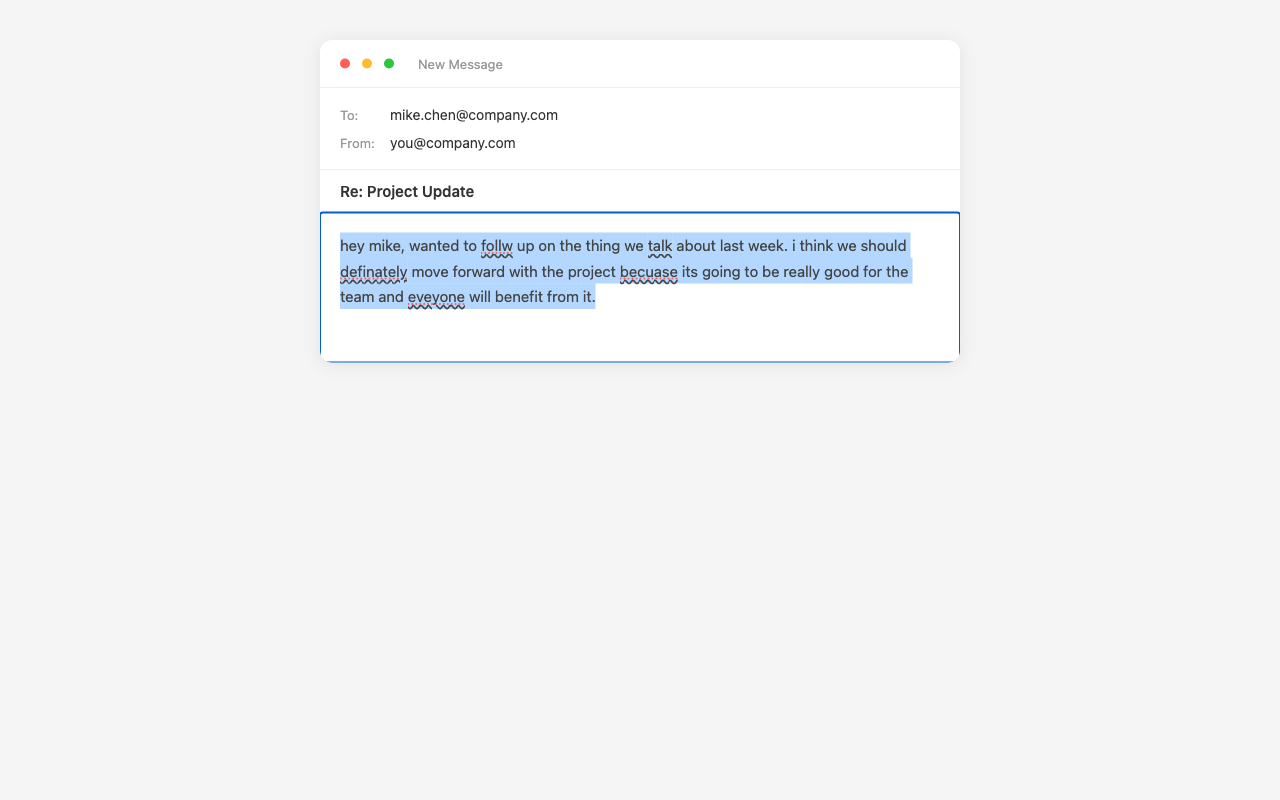
Step 2 — Select and pick an action

hey mike, wanted to follw up on the thing we talk about last week. i think we should definately move forward with the project becuase its going to be really good for the team and eveyone will benefit from it.

Step 3 — Done

Hi Mike, I wanted to follow up on our conversation from last week. I believe we should move forward with the project — it will have a meaningful impact on the team, and everyone stands to benefit from it. Let me know when you're available to discuss the next steps.

Six actions,
one click each.

Also available via right-click menu and keyboard shortcut (Alt+Q).

Improve

Make text clearer, more engaging, and polished.

Reply

Generate contextual responses that match the tone.

Rewrite

Professional, casual, shorter, or longer. One click.

Summarize

Condense long text into 2-3 key sentences.

Fix Grammar

Correct spelling and punctuation without changing meaning.

Translate

Convert between 9+ languages without leaving the page.

Simple pricing,
no surprises.

Start free. Upgrade when you need more.

Monthly Annual Save 20%

Free

$0 / month
Everything you need to get started
  • All 6 AI writing actions
  • Works on every website
  • 9+ languages
  • No account required
  • 5 uses per day
Add to Chrome

Questions & answers

Yes. The free plan gives you 5 AI actions per day with access to all six features. No credit card or account required. Upgrade to Pro for unlimited usage.
Every website you visit in Chrome. If you can select text on a page, SnapWrite can improve it — emails, social media, documents, messaging apps, and anything else on the web.
No. SnapWrite works immediately after installation. No signup, no login, no account needed.
After purchasing Pro, you'll receive a license key. Open the extension settings and paste your key in the "Pro License" section. Click "Activate" and you're set.
Yes. SnapWrite does not store, log, or sell your text. Your writing is sent to the AI for processing and returned directly to you. Read our full privacy policy.
Absolutely. Cancel your Pro subscription anytime through the subscription management portal. Your access continues until the end of your billing period.

Ready to write better?

Install SnapWrite AI and stop copy-pasting to ChatGPT.

Add to Chrome — it's free
No signup · 5 free uses per day · Works everywhere
Add to Chrome — Free